
Breaking News Launcher
AtomApplicationsNews & Magazines
4.311.00 Reviews
- Version
- 1.5.0
- Installs
- 10.00K
- Age Rating
- Everyone 10+
Screenshots
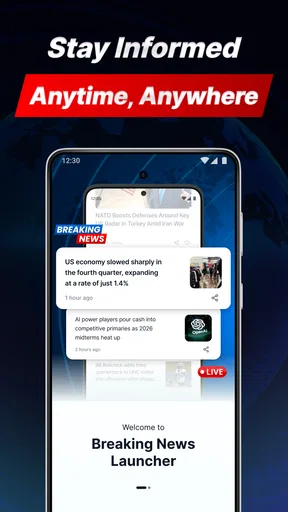
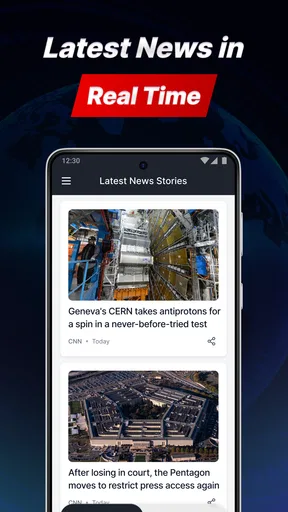
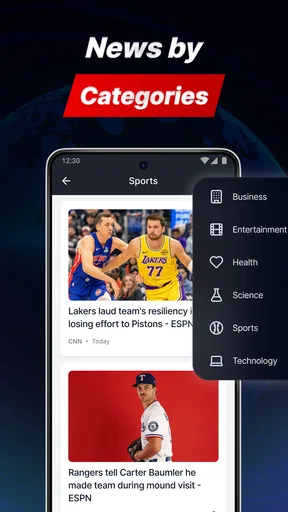
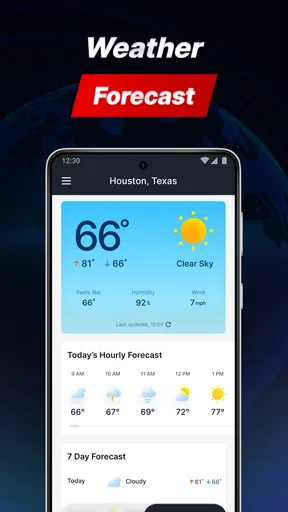
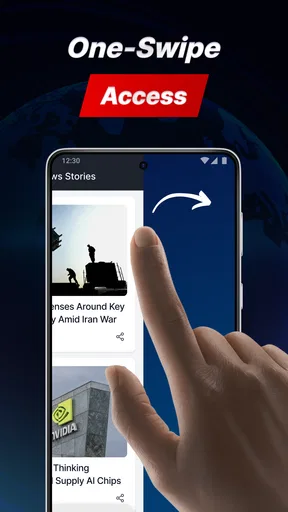
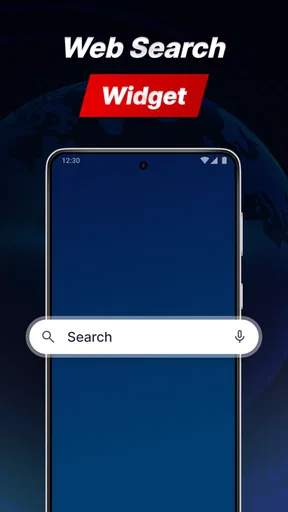
Our Review of Breaking News Launcher
 Analysis by Appyee
I approached Breaking News Launcher as a practical news-and-weather tool rather than another app I would open for long reading sessions. Its central idea is simple: put quick access to breaking news close to the point where I start using my phone, while also bringing together business, sports, entertainment, technology, and local weather information. That focus gives it a clear identity, but it also means the experience depends on whether you prefer a fast overview or a deeper, more customizable news routine.
Developed by AtomApplications, this free News & Magazines app is aimed at people who want current information within easy reach. I found the launcher approach more interesting than a standard news feed because it changes the moment at which news enters my day. Instead of remembering to open a publication, I can treat the app as a starting point for checking what matters before moving on to messages, work, travel, or entertainment.
The app is available for users aged Everyone 10+ and requires Android 10 or later. Its current version is 1.5.0, and its average rating is 4.3 from around 80 ratings, with roughly 11 written reviews. It has passed the 10K+ install mark, which suggests that it has found a modest audience without pretending to be a universal replacement for every news service.
Why the launcher approach matters
The strongest capability here is not simply showing headlines. It is the attempt to make breaking news part of the phone’s opening rhythm. That distinction matters. A conventional news app waits for me to launch it, choose a section, and begin browsing. A launcher-oriented experience is more useful when I want awareness first and reading second.
In my experience, that makes the app best suited to short information checks. I can think of it as a front door to several parts of the news cycle: a major business development, a sports result, an entertainment story, a technology update, or the local forecast. The value is in reducing the number of separate decisions I make before seeing something relevant.
The practical benefit is faster orientation, not necessarily longer reading. If I have only a minute before leaving home, a broad snapshot is more useful than a carefully organized reading queue. I can decide whether a headline deserves attention, whether weather changes my plans, or whether I should return later for a fuller article elsewhere.
This also explains why the app should not be judged by the same standard as a specialist publication. Someone who follows one newspaper closely may prefer that publication’s reporting, saved articles, newsletters, and editorial organization. Breaking News Launcher has a different job: it brings several information areas together so I can notice what is happening without maintaining multiple separate habits.
What the mix of subjects changes
The combination of business, sports, entertainment, and technology is useful because these subjects compete for attention in different ways. Business news can affect work or spending decisions. Sports updates are often time-sensitive. Entertainment headlines are easy to scan during a break. Technology news can influence the devices and services I use every day. Adding local weather makes the app more immediately practical than a headlines-only launcher.
I especially like the contrast between the broad topics and the local forecast. News satisfies curiosity, while weather can affect a concrete decision within minutes. That pairing gives the app a better reason to be checked repeatedly than a launcher focused on only one editorial area.
There is a tradeoff, though. A broad selection can make the first view feel less personally focused than a dedicated source. If I care almost exclusively about financial markets, a business-only service will probably get me to the information I need more directly. If I want a carefully filtered local news experience, a regional publisher may be a better fit. This app makes more sense when variety itself is part of the appeal.
How I would use it in everyday practice
I would begin by treating the launcher as a quick checkpoint rather than trying to consume every headline. On a normal morning, I would look first for anything that could change the day: severe weather, a major technology disruption, an important business story, or a sports event I plan to follow. I would then leave the less urgent items for a later check instead of scrolling without a purpose.
That workflow prevents one of the common problems with news apps: turning a small information need into an endless session. The app’s range encourages browsing, but its real efficiency comes from deciding what I need before I open it. For example, if I am checking whether to take an umbrella, the weather function is the priority. If I am waiting for a result or announcement, the relevant topic becomes the reason to look.
A useful habit is to separate discovery from verification. I would use the launcher to notice a story, then read the full report through the source or service that offers the depth I need. This is particularly important for business and technology headlines, where a short title may omit context, timing, or practical consequences. The app can help me find the subject quickly, but a headline should not be treated as the whole story.
Another good workflow is to check it at natural transition points instead of constantly reacting to alerts or headlines. Before commuting, before starting work, during lunch, or before making evening plans are sensible moments. That approach keeps the app useful without allowing breaking-news culture to dominate the day.
A realistic morning scenario
Imagine I am leaving home for work and have less than two minutes. I open the phone and use the launcher as a compact briefing. The local forecast tells me whether my clothing and travel plan still make sense. A business headline may signal a development relevant to my job. A technology item may explain why a service I use is behaving differently. Sports and entertainment can wait unless I am following a particular event.
That sequence is more useful than opening four separate apps and deciding where to begin. It also gives me a clear stopping point: once I know whether the weather affects my plans and whether there is an urgent headline, I can continue with my morning. The app is doing its best work when it saves that small amount of friction repeatedly.
On a weekend, the priority could change. I might start with sports, glance at entertainment, and then use the weather information to decide whether to go outside. The same broad structure works because it is not tied to one kind of user. It adapts through the reason I have for checking, even though it is not a replacement for a deeply personalized reading system.
Questions I would ask before installing
One obvious question is whether the app costs anything. It is free, so trying it does not require a purchase decision. That makes it easier to test alongside an existing news reader rather than forcing an immediate switch. I would keep both for a while and see whether the launcher actually reduces the time I spend jumping between services.
Another question is device compatibility. The app requires Android 10 or newer, so I would check the phone’s Android version before expecting to install it. For people using a recent device, that requirement should be straightforward; for someone holding onto an older phone, it may be the first practical limitation.
Users may also wonder whether it is suitable for younger readers. Its content rating is Everyone 10+, which places it above an unrestricted all-ages label. I would therefore use ordinary judgment when deciding whether a child should browse news independently, especially because current events can vary widely in tone even when an app is broadly family-accessible.
It is also fair to ask whether this is a full news replacement. I would say no, at least not for my needs. I see it as an entry point and a rapid overview. For investigations, long-form reporting, saved reading lists, or a carefully managed source lineup, I would still choose a dedicated news provider. The launcher earns its place by making discovery and quick checking easier.
The capability in its best setting
The strongest scenario is a person who wants one repeatable place to check several kinds of information without building a complicated routine. A commuter, a busy student, a general-interest reader, or someone who wants local weather next to headline discovery can all benefit from that arrangement.
I think it is particularly helpful for people whose interests change throughout the day. In the morning, weather and business may matter most. At lunch, technology or entertainment may be more appealing. Before a game, sports becomes the priority. A specialist app can be more powerful in one area, but this launcher is convenient when I do not want to predict in advance which section will matter.
It can also work well as a secondary tool. I would not need to abandon a favorite newspaper or sports service. Instead, I could use Breaking News Launcher for broad awareness and open the specialist source only when a headline deserves more time. That division of labor is more realistic than expecting one free app to provide the best depth, personalization, and local detail in every category.
For someone who rarely checks news but wants a quick sense of what is happening, the launcher format may be more approachable than a feed packed with settings. The app’s appeal is strongest when convenience matters more than building a perfect information archive.
Three habits that make it more useful
First, I would use the weather section as a planning trigger rather than a passive glance. If the forecast could affect travel, exercise, or an outdoor appointment, I would check it before leaving and then stop. This turns a general information feature into a small daily decision tool.
Second, I would use topic switching deliberately. Instead of reading every category in order, I would choose one based on the day’s priority. That keeps the broad coverage from becoming noise and helps me notice the app’s main advantage: quick movement between unrelated but useful information areas.
Third, I would verify important headlines before acting on them. This is not a criticism unique to this app; it is a sensible rule for any rapid news surface. A launcher is optimized for speed, and speed can remove context. When a story could affect money, travel, work, or personal decisions, I would follow it into a fuller source before relying on the first headline I see.
A fourth habit is to use it as a discovery layer alongside a specialist service. If I already have a preferred business, sports, or technology publication, I can let this app alert me to subjects outside that normal comfort zone. That is a less obvious benefit: its broad scope can counteract the narrowness of my usual reading habits, even if it cannot match a specialist’s depth.
Where the tradeoffs become noticeable
The same breadth that makes the app convenient can make it feel less precise for advanced readers. I may see several subjects that are personally irrelevant before reaching the item I want. Someone who expects detailed filters, a tightly controlled source list, or a carefully curated reading queue may find a dedicated alternative more satisfying.
The launcher format can also encourage quick consumption. That is useful when I am in a hurry, but less useful when I want to understand a complicated issue. I would avoid using it as my only source for stories involving financial decisions, public safety, or technical claims that need context. Its role is strongest at the beginning of the process, not necessarily at the end.
There is a similar limitation with local weather. Having a forecast close to the news is convenient, but people who plan around detailed radar, hourly changes, severe-weather tracking, or specialized outdoor conditions may prefer a dedicated weather app. The local forecast feature adds everyday usefulness; it does not automatically make the app a complete meteorological tool.
The free price lowers the barrier to experimentation, but it also changes my expectations. I would not install it expecting the editorial depth, personalization, or polished ecosystem of a major subscription service. I would judge it on whether it makes quick checking easier. If it adds another layer of tapping without improving my routine, then its broad coverage is not enough reason to keep it.
The rating of 4.3 indicates a generally positive reception, but the relatively small review base means I would treat that number as a useful signal rather than a final verdict. My own phone, habits, and expectations matter more here because the app’s value is closely tied to how often I need a broad news snapshot.
Who gains the most from this app
I would recommend it to readers who want a free breaking-news launcher with several everyday subjects in one place. It is a good candidate for someone who checks weather before leaving, likes to scan technology or business headlines, follows sports casually, and still wants room for entertainment news. The more often those needs overlap, the more worthwhile the launcher concept becomes.
It is also a sensible choice for people who dislike maintaining a folder full of separate news apps. The app can simplify the first check of the day, while specialist sources remain available for deeper reading. That combination feels more balanced than asking one general app to do everything.
I would be more cautious about recommending it to a devoted reader of one publication, a professional who needs source-specific detail, or anyone who wants extensive control over a personalized news feed. Those users may gain more from a dedicated service designed around their exact subject and workflow. I would also skip it if my main goal were long-form reading rather than rapid discovery.
For me, the deciding question is not whether it contains every feature found in larger news platforms. It is whether placing headlines and local weather together makes my daily information check quicker and more intentional. In the right routine, it does. The app’s best quality is its focused convenience: it gives me a broad starting point without demanding a long session.
After using it as a quick briefing tool, I see Breaking News Launcher as a useful companion rather than an all-purpose news replacement. AtomApplications has built its identity around access and immediacy, and that is where I would recommend it. Install it if you want a simple way to begin with current events and local weather, then move to specialist sources when a story deserves serious attention. Skip it if you already have a perfectly tuned publication-based routine or need deep control over every headline you see.
Verdict
Strengths of Breaking News Launcher
- Shows breaking news directly on the home screen
- Offers quick access to headlines without opening a news app
- Can help users discover stories from multiple categories
- Lightweight launcher experience with a simple interface
- Useful for users who want news updates throughout the day
Limitations of Breaking News Launcher
- Frequent alerts may feel distracting or intrusive
- News quality depends on the launcher’s available sources
- Headline-focused content may lack detailed article context
- Personalization options may be limited compared with full news apps
- Requires notification and home-screen permissions to work fully
Other Releases by AtomApplications
View All
QR & Barcode Scanner Launcher
Tools4.2

Brightest Flashlight Launcher
Tools4.3

2026 Calendar Launcher
Productivity4.4

Alarm Clock Launcher
Productivity4.3
Similar Picks in This Category
View All
Google News - Daily Headlines
Google LLC4.0

X
X Corp.4.8

Flipboard:Your Social Magazine
Flipboard3.4

Opera News: breaking & local
Opera4.5

Hindi News by Dainik Bhaskar
Dainik Bhaskar Group4.0

Way2News Daily News App
Way2News ( Formerly Way2SMS )4.6
Frequently Asked Questions
What is Breaking News Launcher, and how does it work?
Breaking News Launcher is an Android launcher designed to combine your home screen with a continuously updated news experience. After installation, it can replace your standard launcher and present headlines, shortcuts, and other content directly from the main screen. Its usefulness depends on the news sources, personalization options, and permissions available in the version you install, so checking the setup screens is recommended.
Can I customize the news shown by Breaking News Launcher?
The launcher may allow you to adjust the types of stories or topics displayed, depending on the features included in the current release. Users should look for settings related to categories, notifications, language, and content preferences after completing the initial setup. If detailed filtering is unavailable, the home screen may continue showing a broader selection of breaking stories from its supported sources.
Does Breaking News Launcher replace my regular Android home screen?
Yes, a launcher normally needs to be selected as the default home application to provide its full experience. You can usually test it first and switch back to your previous launcher through Android’s default-app settings. Before making the change permanent, review the navigation, app-drawer layout, widgets, and customization tools to ensure the interface suits your daily use.
Does Breaking News Launcher require internet access or send notifications?
Because its main purpose is to display current news, Breaking News Launcher generally needs an internet connection to retrieve and refresh headlines. It may also request permission to send breaking-news notifications, although notification access can typically be managed in Android settings. If you prefer fewer interruptions or want to reduce mobile-data usage, disable alerts or restrict background activity where possible.
Is Breaking News Launcher safe to install and use?
As with any launcher, it is important to download Breaking News Launcher from a trusted store and review the developer information, recent updates, ratings, and requested permissions. A launcher can have broad access to the home-screen experience, so avoid granting permissions that seem unrelated to its functions. Also review its privacy policy to understand how usage data, device information, and news preferences may be handled.
